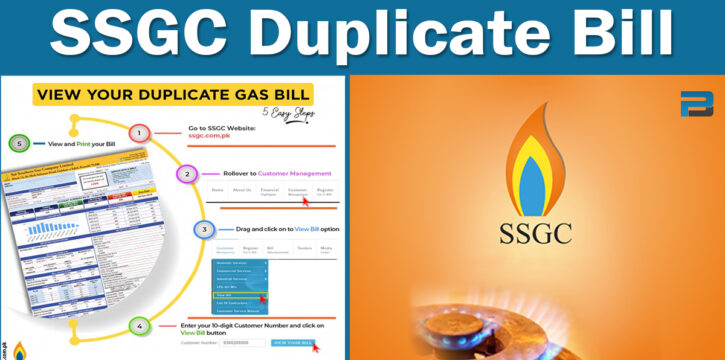
Lost your SSGC gas bill, or it never reached your door? You don't need to visit an office. You can check, download, and pay your SSGC duplicate bill online in a few minutes. Here's the exact process, straight from SSGC's own system.
SSGC Duplicate Bill Check 2026
Click the button below and enter you customer ID and click submit button and your bill will appear on the screen, you can view, download and print you bill easily. No login or signup required.
What Is an SSGC Duplicate Bill?
An SSGC duplicate bill is a copy of your original Sui Southern Gas invoice. It shows the same details as your paper bill: your name, address, payable amount, due date, gas usage, and taxes. People need a duplicate bill when the paper copy is lost, damaged, delayed, or simply never delivered.
What You Need Before You Start
To do an SSGC duplicate bill online check, you need your 10-digit Customer Number. This is printed on any old SSGC bill, usually near the top or in the payment slip section. SSGC does not support bill lookup by name, CNIC, or address, the Customer Number is the only way in.
If you don't have an old bill on hand, ask your landlord, building manager, or a neighbour on the same connection. You can also visit your nearest SSGC Customer Facilitation Center for help.
How to Check SSGC Duplicate Bill Online: 2 Simple Steps with Images Guide
You can check the SSGC duplicate bill following these steps.
Step 1:
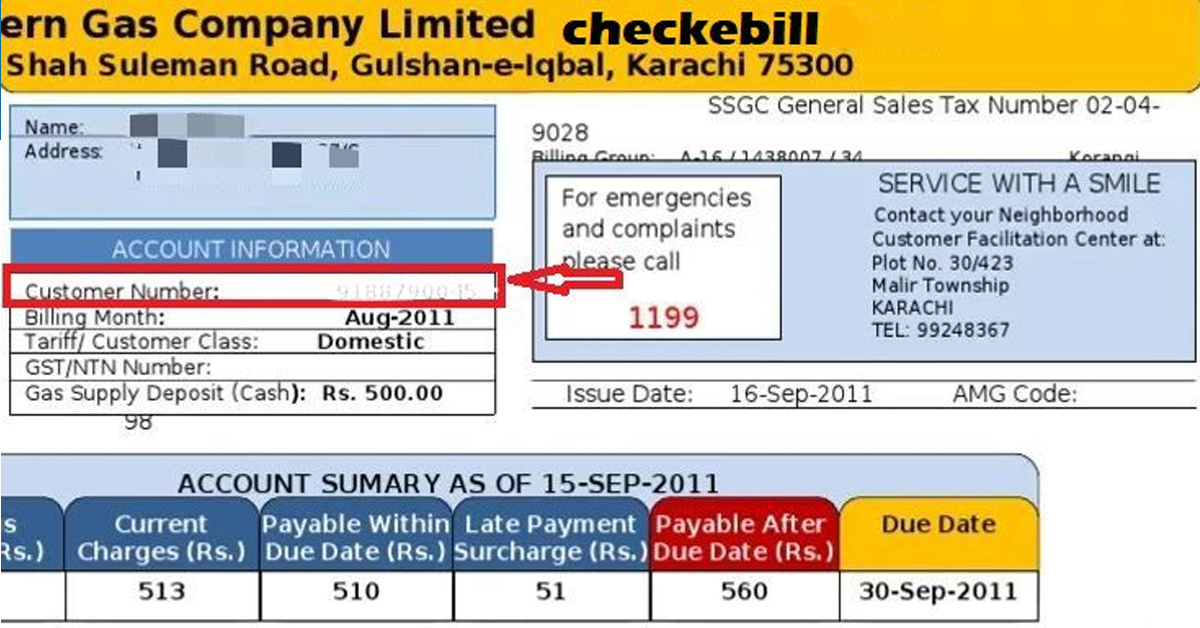
Find your customer number on you previous bill, see the image below.
Step 2:
Go to the official SSGC site https://ssgcbill.pk/get-bill/, enter you 10 digit customer number, solve the CAPTCHA and enter submit button.

You online bill will appear on the screen after submitting the customer ID. This is the most easiest method to check your bill in just few seconds.
How to Download SSGC Duplicate Bill (PDF)
Once your bill loads on the SSGC portal:
- Look for the download or print option on the page.
- Save the SSGC duplicate bill download PDF to your phone or computer.
- Print it if you need a paper copy for a bank counter or your records.
The downloaded copy carries the same details as your original bill, so your SSGC online bill download works fine for payment at any bank, ATM, or mobile wallet.
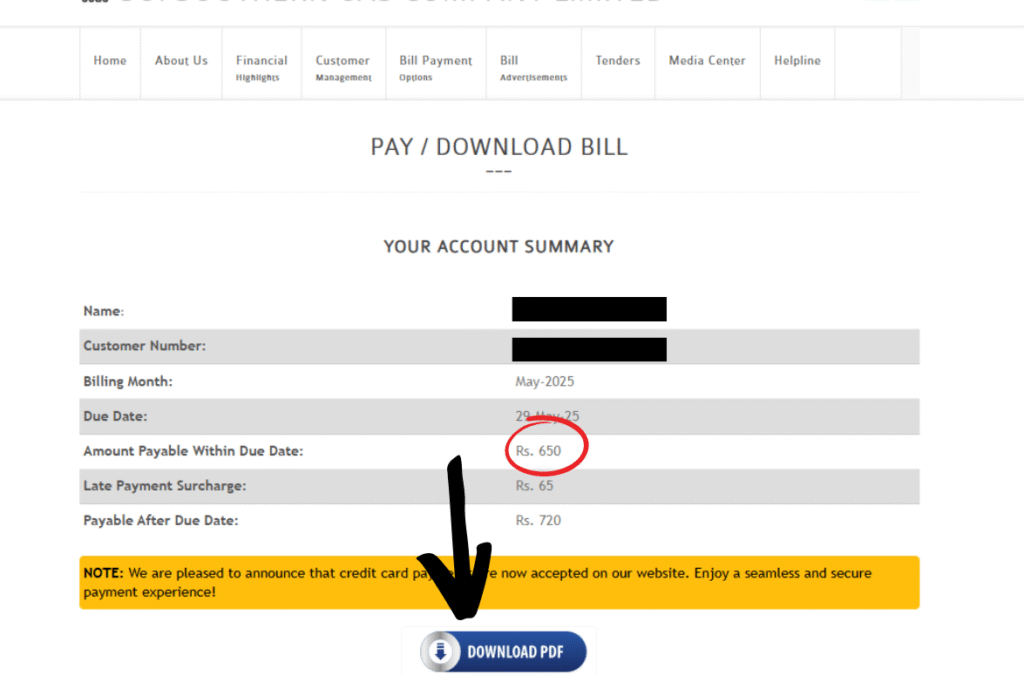
See the image below to find the download bill PDF button.
How to Pay Your SSGC Bill Online
Once you've checked or downloaded your duplicate bill, you can pay it through:
- JazzCash or Easypaisa mobile wallets
- Mobile banking apps or internet banking
- Bank branches and ATMs
Double-check your Customer Number on any payment channel so the payment lands on the right account.
SSGC Bill Not Loading? Try This
If your duplicate bill SSGC online isn't opening:
- Recheck your 10-digit Customer Number for typing mistakes.
- Wait a few minutes and retry — the portal can get busy close to due dates.
- Call the SSGC helpline at 1199, available 24/7.
- Visit your nearest Customer Facilitation Center if the problem continues.
SSGC Helpline and Contact Details
- Helpline: 1199 (24/7)
- Phone: 99021000
- Email: [email protected]
FAQ's
How can I check my SSGC duplicate bill online?
Yes, Visit viewbill.ssgc.com.pk and enter your 10-digit Customer Number to view your current bill.
Can I check my SSGC bill without a Customer Number?
No. SSGC does not offer bill lookup by name, CNIC, or address. You need the Customer Number from an old bill.
How do I download my SSGC bill as a PDF?
After your bill loads on the official portal, use the download or print option to save it as a PDF.
What if I don’t receive my SSGC bill on time?
Check the bill online using your Customer Number. If it’s genuinely missing, SSGC’s published timeline is 30 days to resolve a “Bill Not Received” complaint.
Can I pay my bill right after checking it online?
Yes. Once you view or download the bill, you can pay it via JazzCash, Easypaisa, mobile banking, or a bank branch/ATM.
Which areas does SSGC serve?
SSGC supplies gas across Sindh and Balochistan, including Karachi, Hyderabad, Sukkur, and Quetta.



