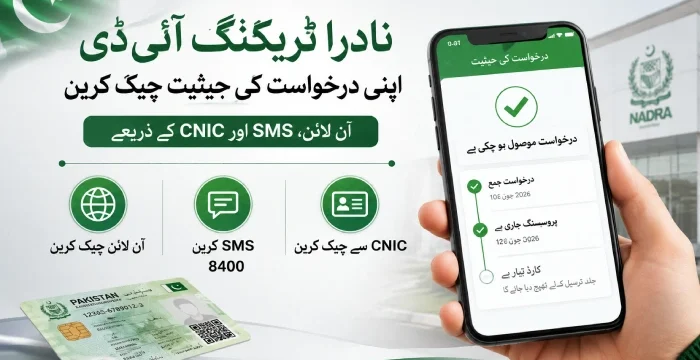
Quick answer: Send your 10-digit tracking ID by SMS to 8400 (no internet needed), or open the Pak-ID app and enter your tracking ID and PIN. You can also call the NADRA helpline at 1777 (mobile) or +92 51 111 786 100 (landline). Your tracking ID is printed on the receipt you got when you applied.
This guide shows you every method, step by step, plus how to pay your NADRA fee and how to check your BISP payment too.
What Is a NADRA Tracking ID?
A NADRA tracking ID is a 10-digit number NADRA gives you when you apply for a CNIC, Smart ID, NICOP, POC, or B-Form. You get it on the receipt or slip handed to you at the counter, or by email if you applied online.
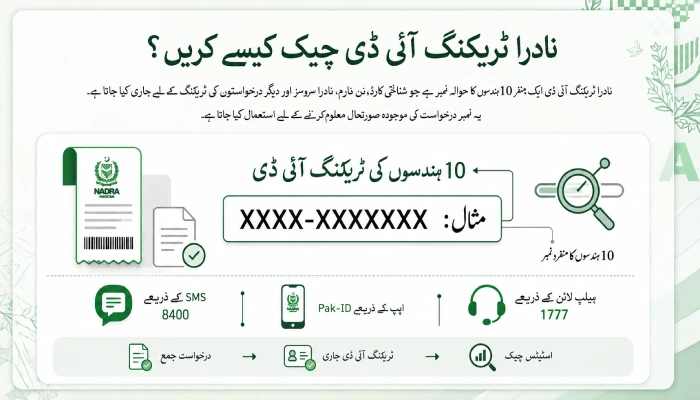
This number is your key to your application. NADRA uses it to find your file and tell you what stage it is at, from “under process” to “ready for collection.”
Where to find it:
On your paper receipt, usually in the top right corner
On the confirmation email or SMS if you applied through Pak-Identity
Inside the Pak-ID app, under your application history
Keep Your NADRA Tracking ID Private: Don’t Share it Publicly
Your tracking ID is linked to your personal application.
Do not post it in Facebook comments, WhatsApp groups, or anywhere public. Some people ask for it to “help” you check your status faster. NADRA never needs your tracking ID posted in public to check anything. Only use the official app, SMS number, or helpline.
How to Check Your NADRA Tracking Status
There are three ways to check. Pick whichever suits you.
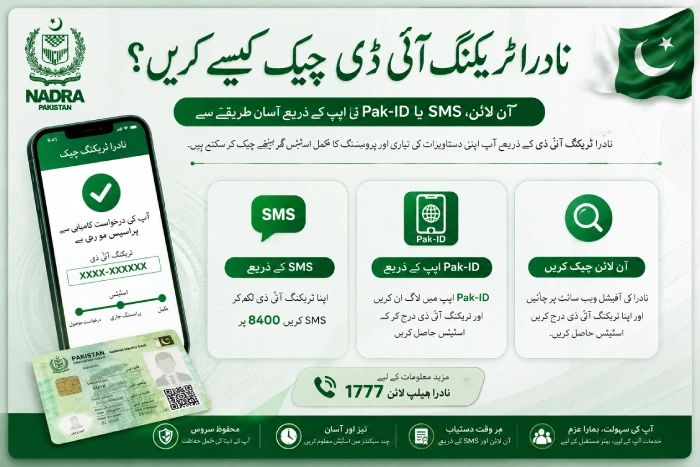
1. Check by SMS (No Internet Needed)
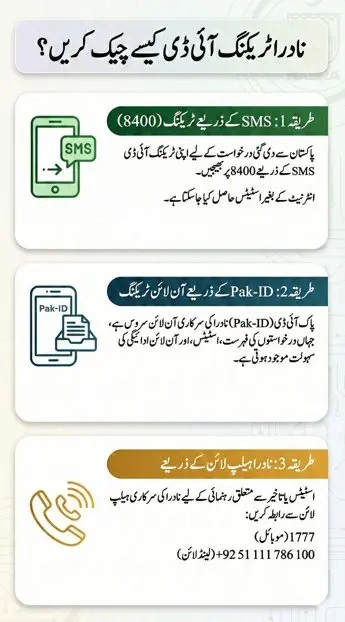
This is the fastest way if you applied from inside Pakistan.
- Open your phone’s messaging app.
- Type your 10-digit tracking ID. Do not add spaces or dashes.
- Send it to 8400.
- Wait for the reply message with your status.
This works on any basic phone, on any network. Normal SMS charges from your network may apply.
2. Check Online With the Pak-ID App
Pak Identity (Pak-ID) is NADRA’s own app for tracking and paying for your application. It works well for overseas Pakistanis too, since SMS to 8400 is meant for applications made inside Pakistan.
Download the app:
Android (Google Play Store): https://play.google.com/store/apps/details?id=pk.gov.nadra.pakid&pcampaignid=web_share
iPhone IOS (App Store): https://apps.apple.com/us/app/pak-identity/id1563975817
- Open the app and log in, or register with your email and mobile number if it’s your first time.
- Go to the tracking section (often labelled “TID Tracking” or shown under “Show More”).
- Enter your tracking ID and PIN code.
- Your current status shows on the screen right away
3. Check by Calling the NADRA Helpline
If the SMS or app doesn’t give you a clear answer, call NADRA directly.
- 1777 (mobile users)
- +92 51 111 786 100 (landline, works from abroad too)
Have your tracking ID ready before you call. This helps the agent find your file faster.
NADRA Tracking ID Payment Guide
Once your application reaches the payment step on the Pak-Identity website or app, you need to pay the fee before NADRA processes it further. Your tracking ID links the payment to your file, so always double check it before you pay.
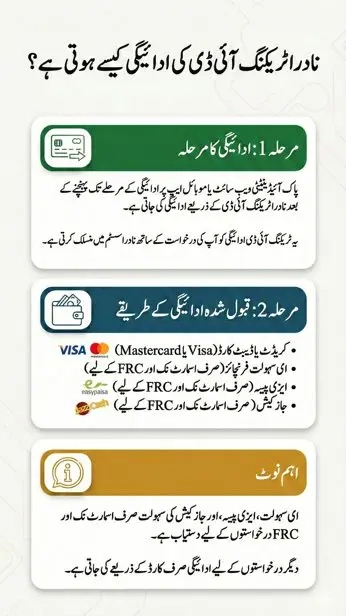
Accepted payment methods:
- Credit or Debit Card (Visa or Mastercard)
- eSahulat Franchise
- EasyPaisa
- JazzCash
Note: eSahulat, EasyPaisa, and JazzCash only work for Smart NIC and FRC applications. Other applications use the card payment option.
Pay by Credit or Debit Card
- Go to the payment step on Pak-Identity (web or app).
- Enter your name, address, email, and phone number.
- Enter your card details.
- Confirm the OTP sent to your phone.
- Submit the payment.
Pay Through eSahulat
- Reach the payment step on Pak-Identity.
- Visit any eSahulat franchise near you.
- Give the agent your tracking ID and pay the fee in cash.
- Log back into your Pak-Identity account to carry on with your application.
Pay Through EasyPaisa
- Reach the payment step on Pak-Identity.
- Open the EasyPaisa app and choose NADRA Fee.
- Select NIC Fee Payment.
- Type in your NADRA tracking ID.
- Check the bill details shown.
- Tap Confirm and Pay Now.
Pay Through JazzCash
- Reach the payment step on Pak-Identity.
- Open JazzCash and search for NADRA.
- Select NIS.
- Enter your NIS Ticket ID — this is the same as your Pak-ID tracking ID.
- Confirm and finish the payment.
One important tip: always type your tracking ID carefully at the payment step. A single wrong digit means your payment won’t get linked to your application, and that causes delays.
Tracking ID Not Working? Here’s What to Do
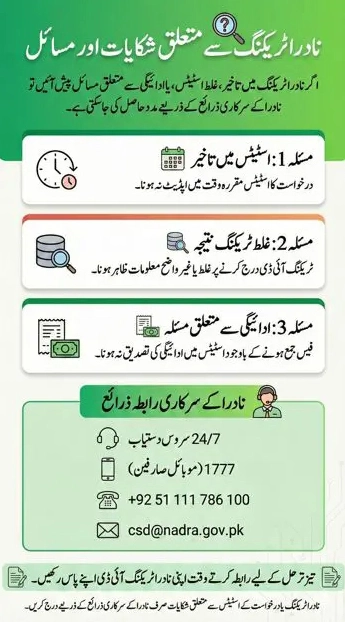
If you check your status and get no result, don’t worry. It doesn’t always mean something is wrong with your application. Common reasons include:
- You typed the tracking ID wrong (a missing or swapped digit)
- Your application was submitted recently and hasn’t been added to the system yet
- Your file is still in early review or verification
- NADRA’s system is going through routine maintenance
What to do:
Check the tracking ID again against your receipt, digit by digit
Wait a day or two if you applied very recently, then try again
Call the helpline and give them your tracking ID for a manual check
How to Know If Your ID Card Is Ready
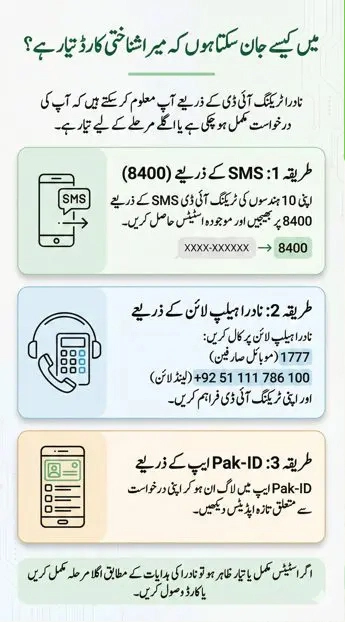
Use any of the three methods above. When your status shows completion or readiness, follow the instructions given by NADRA on how and where to collect your card.
Frequently Asked Questions
What is a NADRA tracking ID used for?
It lets you check your application’s current stage — under process, printed, dispatched, or ready for pickup, using your tracking ID.
Where do I find my NADRA tracking ID?
It’s printed on the receipt or slip you got when you submitted your application, or in your confirmation email if you applied online.
Can I check my status without a tracking ID?
No. NADRA’s systems need the tracking ID to find your record.
Why isn’t my tracking status updating?
Your file may still be under early review, or NADRA’s system may be going through a routine update. Try again after a day or two.
Can I check NADRA tracking by SMS from abroad?
SMS to 8400 is meant for applications submitted inside Pakistan. If you applied as an overseas Pakistani (NICOP or POC), use the Pak-ID app or call the helpline instead.
Is checking my BISP balance the same as NADRA tracking?
No. BISP is a different programme with its own system. Use SMS or the web portal at 8171.bisp.gov.pk to check your BISP payment status, not the NADRA 8400 number.
Who do I contact for a NADRA tracking complaint?
Call the helpline at 1777 or +92 51 111 786 100, or email [email protected]. Keep your tracking ID ready when you contact them.
Disclaimer
This page is written for general guidance only. It is not run by NADRA or BISP. For applications, payments, and official status checks, always use NADRA’s own app, website, and helpline, or the official BISP portal at 8171.bisp.gov.pk.



