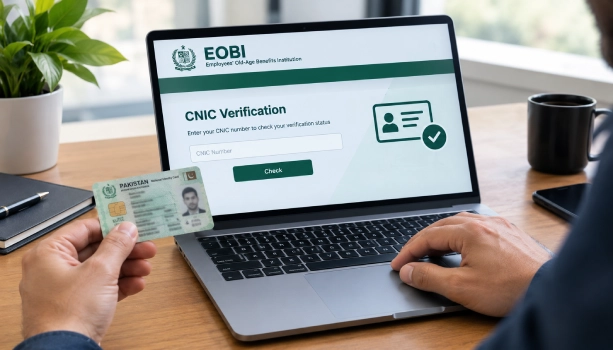
If you work in the private sector in Pakistan, part of your salary goes into your EOBI account every month. The only way to know if that money is actually reaching your record is to run an EOBI verification check online by CNIC. It takes a few minutes, needs no paperwork, and can be done from your phone or computer.
This guide walks you through the exact steps, explains what your result means, and tells you what to do if your record shows a problem.
What Is EOBI?
EOBI stands for Employees' Old-Age Benefits Institution. It is a Pakistani government body set up under the Employees' Old-Age Benefits Act, 1976, which came into force on April 1, 1976. Its job is to pay a pension to workers after retirement, and to support their families in case of disability or death.
EOBI does not get funding from the government. It runs on contributions:
- The employer pays 5% of the minimum wage every month.
- The employee pays 1% of the minimum wage every month.
These exact rupee amounts change whenever the government revises the minimum wage, so the percentage is what stays fixed.
Why You Should Check Your EOBI Record
A deduction on your payslip is not proof that the money reached EOBI. Employers sometimes:
- Never register the worker at all, even though the law requires it once a company has the minimum number of staff.
- Register the worker, then stop paying contributions during a cash-flow problem.
- Enter the wrong CNIC or name, which creates a broken record you can't claim against later.
If you never check, you usually find out only at retirement, when it's too late to fix years of missing contributions easily. A quick check now can save you that shock later.
How to Do an EOBI Verification Check Online by CNIC
Follow these steps:
- Go to the official EOBI website: www.eobi.gov.pk
- Click on "Individual Information" on the homepage. This opens the record search page.
- Enter your 13-digit CNIC number without dashes (for example, type it as one continuous number, no hyphens or spaces).
- Click the search button to run the check.
EOBI's website mentions this service is meant to run all week. In practice, several independent guides note the page tends to load faster on weekdays during normal daytime hours, so if it's slow, try again then.
Note: EOBI updates its website design from time to time, so the exact menu wording may shift slightly. If "Individual Information" isn't visible, look for a similarly named link like "Insured Person" or "Employee Details" on the homepage.
What Your EOBI CNIC Check Shows
Once your record loads, you should see:
- Your registered name and CNIC number
- Your Insured Person (IP) number — this is your permanent EOBI reference number
- Your employer's name on file
- Your total months of contribution
- A month-by-month or year-by-year contribution history
Look past just your name showing up. The real thing to check is whether contributions run continuously through every month you actually worked, or whether there are gaps.
How to Read Your Result
| What you see | What it means | What to do |
|---|---|---|
| IP number with continuous months paid | You're registered and contributions are current | Check again once a year |
| IP number but contributions stopped partway | Your employer registered you, then stopped paying | Ask HR in writing, then raise it with EOBI |
| Record found only under an old employer | Your current employer hasn't registered you yet | Ask your current employer to enroll you |
| No record at all | You've never been registered | Recheck your CNIC formatting first, then contact HR |
Checking EOBI by CNIC Using the Mobile App
If you'd rather use your phone, EOBI has an app for Android:
- Open the Google Play Store on your phone.
- Search for the official EOBI app and install it.
- Open the app and tap Register / Sign Up.
- Enter your CNIC and a mobile number registered in your name.
- Enter the OTP code sent to your phone to verify.
- After logging in, tap Employee Section.
- Select View Employment History or View Contributions to see your full record.
This is useful if you've worked at more than one company, since it keeps all your past employer records in one place under your CNIC.
EOBI Pension Eligibility
Under the EOBI scheme:
- Men can claim the old-age pension at age 60.
- Women can claim it at age 55.
- Mine workers can claim it at age 55 if they've spent at least 10 years in mining work right before retirement.
- The pension is usually paid to workers who have built up enough years of insurable employment on their record.
- If someone reaches retirement age but has fewer qualifying years, they may get a one-time Old-Age Grant instead of a monthly pension, provided their contributions were paid for at least 2 years.
- Old-age pension payments are not backdated by more than 6 months.
Other EOBI Benefits Worth Knowing
Most guides only cover the old-age pension. EOBI also covers:
- Invalidity pension – for a worker who becomes permanently unable to work, provided contributions were paid for at least 5 years since they joined, including at least 3 years within the last 5 years.
- Survivor's pension – if an insured worker dies after at least 36 months of insurable employment, their spouse is entitled to a life pension. If there's no spouse, it can pass to minor children, and if there's no spouse or children, to the worker's parents for up to 5 years.
Do Contract and Daily-Wage Workers Get Registered?
Yes. Coverage depends on the actual nature of the work, not the label written on your appointment letter. A worker called "contract," "casual," or "daily wage" is still meant to be registered if the company falls under the EOB Act, 1976.
What to Do If Your Record Is Missing or Wrong
If your CNIC check shows no record, or shows gaps:
- Recheck your CNIC entry. A wrong digit or an extra dash is the most common reason a real record shows up as "not found."
- Ask your employer's HR in writing. Request your EOBI registration number and proof that contributions are being deposited. Keep a copy of this request.
- Save your evidence. Keep salary slips, your appointment letter, and a screenshot of the failed or incomplete search result with the date visible.
- Visit your nearest EOBI regional office if HR doesn't resolve it. Bring your CNIC and the evidence above. EOBI can inspect the employer's records and raise a demand for unpaid contributions.
- If the website is down, the same check can be done in person at any EOBI regional office with your original CNIC.
Registering you and depositing your contribution is your employer's legal responsibility, not yours. A gap in your record doesn't disappear just because time has passed — it can still be raised and corrected.
EOBI Contact Details
Website: www.eobi.gov.pk
Head Office: EOBI House, 190/B/1, Block-2, PECHS, Karachi
Free Helpline: 0800-EOBI (3624), available 8:00 AM to 4:00 PM, Monday to
Frequently Asked Questions
Is the EOBI verification check online by CNIC free?
Yes, checking your record online through the official EOBI website carries no fee.
Is there an SMS-based way to check my EOBI status?
No. Currently, the official website and mobile app are the ways to check, along with the phone helpline for manual queries.
What CNIC format should I use for the check?
Enter all 13 digits of your CNIC with no dashes and no spaces.
Can I check my EOBI record after changing jobs?
Yes, and you should. Your record follows your CNIC across every employer, so check within the first few months of any new job to make sure the new employer has actually enrolled you.



