Quick answer: go to MEPCO’s official website, find the “Online Bill” or “Duplicate Bill” section, type in the 14-digit reference number from any old bill, and click Submit. Your bill loads right away, and you can view, download, or print it for free.
What Is MEPCO?
MEPCO stands for Multan Electric Power Company. It was set up in 1998 and supplies electricity across South Punjab, covering districts spread over the Multan, Bahawalpur, and Dera Ghazi Khan divisions, including cities like Multan, Bahawalpur, Rahim Yar Khan, Vehari, and Sahiwal.
What You Need Before You Start
- Reference Number: A 14-digit code printed on every MEPCO bill. This is the main number used to check your bill online.
- Consumer ID: A shorter, 10-digit number, usually printed close to the reference number. You can use this instead if you don’t have the reference number handy.
How to Check Your MEPCO Bill Online (Step-by-Step)
- Go to MEPCO’s official website.
- Find the “Online Bill” or “Duplicate Bill” section on the homepage.
- Enter your 14-digit reference number, or your 10-digit Consumer ID if that’s what you have.
- Click “Submit” or “Check Bill.”
- Your current bill appears on screen, showing the amount due, due date, and units consumed.
- View it, download it as a PDF, or print it.
This works any time, day or night, and there’s no charge for checking or downloading your bill.
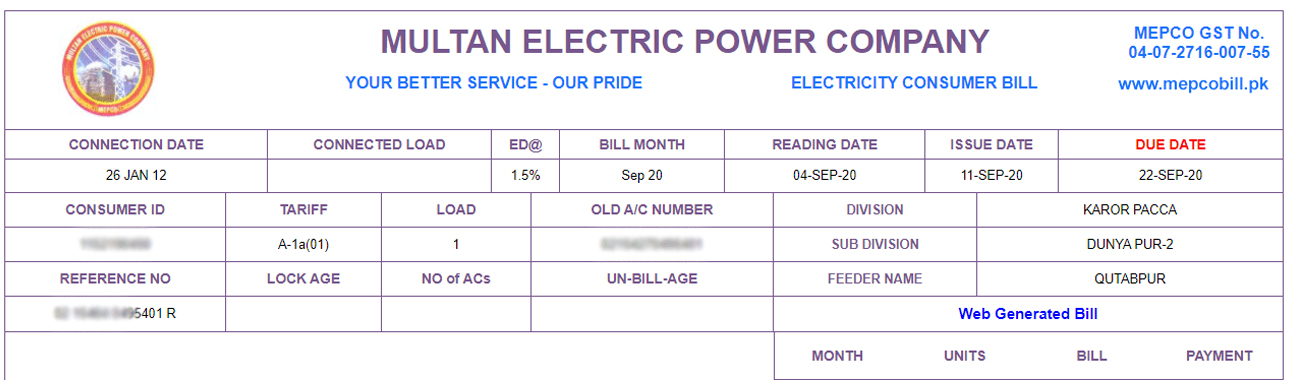
You can view, download, or print (whatever you want).
Can You Check Your Bill Using Just Your CNIC?
No. MEPCO’s online bill check only works with your 14-digit reference number or your 10-digit Consumer ID. If a site or app claims you can look up a MEPCO bill using only a CNIC number, that’s not how the actual system works.
No Reference Number? Here’s What to Do
Lost your last bill and don’t know your reference number? You still have a few options:
- Check any other old MEPCO bill you may have at home. The reference number stays the same each month.
- If you’re renting, ask your landlord, since they may already have a copy.
- Visit your nearest MEPCO office with your CNIC, meter number, or account details, and ask staff to help you retrieve it.
- Call MEPCO’s customer care and give your registered details for confirmation.
MEPCO Peak Hours
Mepco recommends decreasing electricity consumption during peak hours, which will help to lessen your electricity bill amount and help to stabilize the electric supply to the entire region. Here are the MEPCO peak hours:
| Month | Time |
| December to February | 5 pm to 9 pm |
| March to May | 6 pm to 10 pm |
| June to August | 7 pm to 11 pm |
| September to November | 6 pm to 10 pm |
How to Pay Your MEPCO Bill Online
Bank Apps
Banks like HBL, UBL, MCB, Meezan Bank, and Allied Bank let you pay directly through their apps. Open the app, go to Bill Payments, select Electricity, choose MEPCO, and enter your reference number.
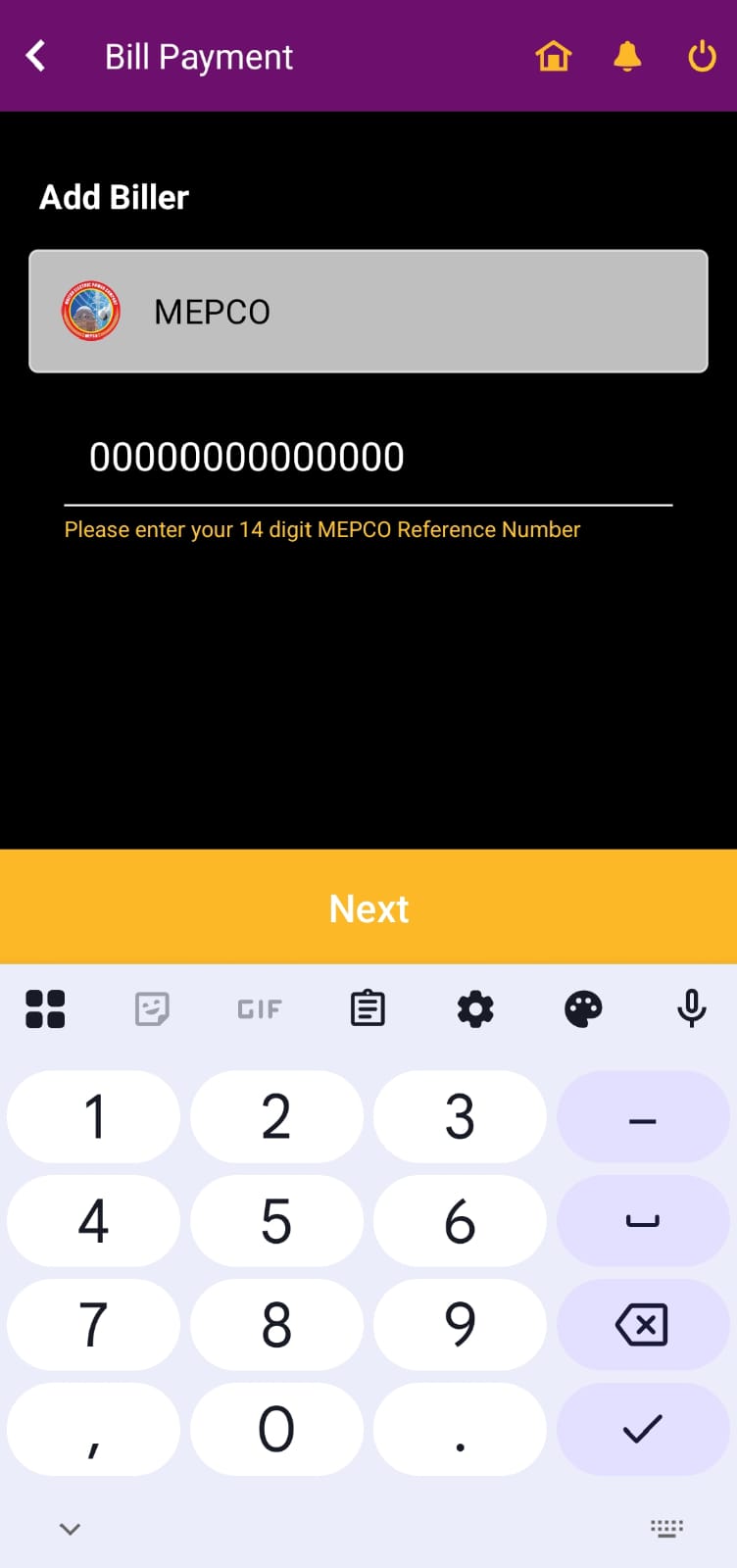
Mobile Wallets: Easypaisa or JazzCash
Easypaisa and JazzCash both support MEPCO bill payments. The fastest option for people using a smartphone will be:
- Open the app
- Select “Utility Bills” → Select “Electricity” → Select “MEPCO”
- Input your reference number → Verify the payment
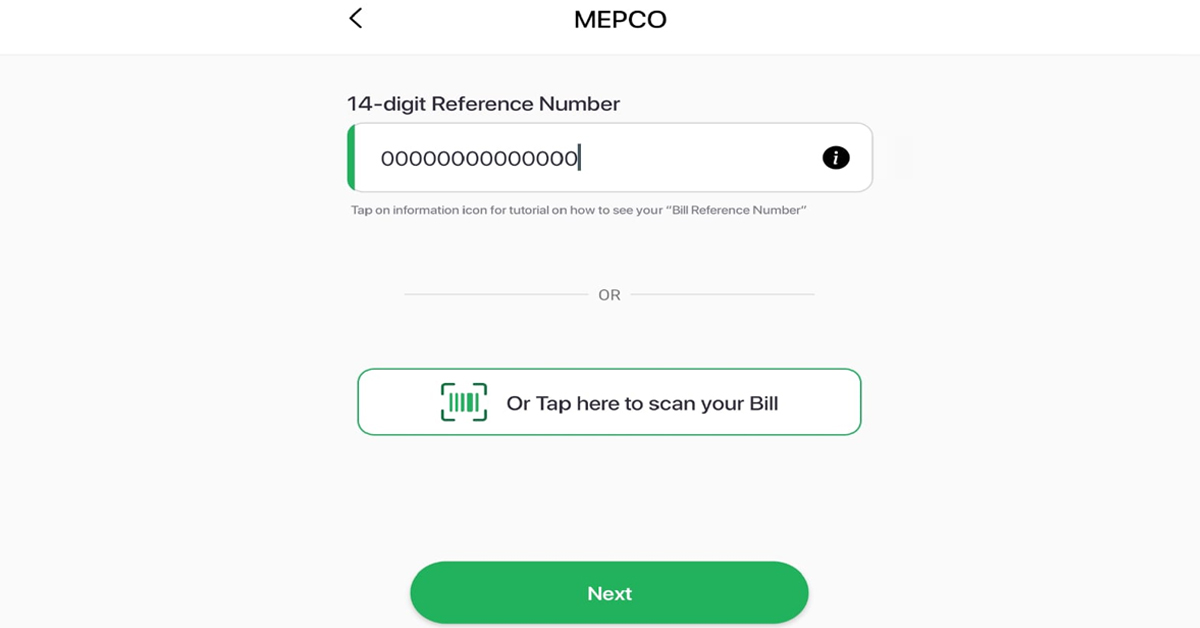
Internet Banking
Most banks also let you pay through their internet banking portal, under the utility bill payment section.
Staying Updated: SMS and Email Alerts
MEPCO offers a free SMS and email alert service. Register on the MEPCO website using your reference number, name, and phone number. Once registered, you’ll get:
- Bill generation notices
- Due date reminders
- Maintenance schedule updates
Common Problems and Fixes
Even digital systems can glitch sometimes. Here’s how to fix common problems:
| Issue | Quick Solution |
| Bill is not showing online | Recheck the reference number or try again later. |
| High bill due to wrong reading | File a complaint through the MEPCO portal. |
| Missing or lost bill | Download a duplicate from the website. |
| Late payment issue | Contact your nearest MEPCO office or helpline. |
Simple Ways to Lower Your MEPCO Bill
- Switch to LED bulbs, since they use far less energy than older bulbs.
- Unplug appliances you’re not using. Many still draw a small amount of power on standby.
- Set your AC around 26°C instead of running it colder than needed.
- Use daylight during the day instead of turning on lights.
- Keep appliances clean, since dust and poor maintenance make them work harder and use more power.
MEPCO Helpline and Contact
- Head Office: MEPCO Complex, Khanewal Road, MEPCO Colony, Multan.
- UAN Helpline: 0800-63726
- Phone Lines: 061-9220313, 061-9220314, 061-9220315
Final Note
Checking your MEPCO bill online takes under a minute once you have your reference number or Consumer ID ready. Keep that number saved somewhere safe, use MEPCO’s official channels for checking and paying, and you’ll never have to wait around for a paper bill again.
Frequently Asked Questions
How can I check my MEPCO bill online?
You can check your MEPCO bill online by visiting the official MEPCO website and entering your 14-digit reference number.
Can I download and print my MEPCO bill?
Yes, once your bill appears on the screen, you can easily download or print it for record-keeping or payment purposes.
Is there any fee for checking the MEPCO bill online?
No, MEPCO’s online bill checking service is completely free and available 24/7.
Can I pay my MEPCO bill online?
Yes, you can pay your bill online through various platforms like JazzCash, Easypaisa, or your bank’s mobile app.
What should I do if my MEPCO bill is not showing online?
If your bill doesn’t appear, double-check your reference number or try again later due to possible server issues.



