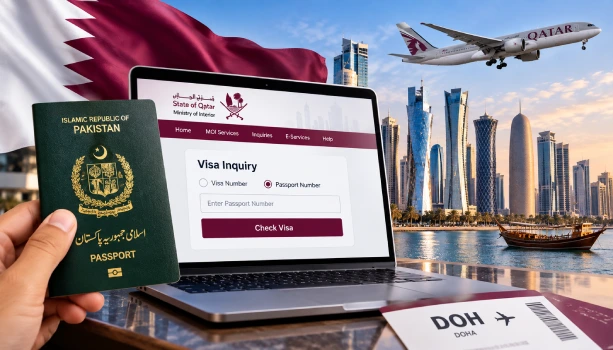
You can check your Qatar visa status online using only your passport number, through the official Ministry of Interior (MOI) Qatar portal. No agent or visit to an office is needed. Before you check anything, note one thing: Qatar suspended visa-on-arrival for Pakistani nationals on March 31, 2026, and no date has been given for when it will restart. If you are travelling from Pakistan, you now need a visa arranged before you fly, not on arrival.
Visa-on-Arrival Update for Pakistani Travellers
The Embassy of Pakistan in Doha issued this advisory on March 31, 2026. It said the visa-on-arrival service was "currently not available" and told travellers to get their visa before departure. This came during a period of tension in the Middle East. As of now, no Pakistani or Qatari source has announced that the facility has restarted. Check the Pakistan Embassy Doha's official channels or the Hayya portal (hayya.qa) before you book your flight.
How to Check Your Qatar Visa Status by Passport Number
Follow these steps on the official MOI portal:
- Go to the MOI Qatar website at moi.gov.qa.
- Click on "Inquiries," then "Visa Services."
- Select "Visa Inquiry & Printing."
- Choose the "Passport Number" option instead of visa number.
- Type your passport number exactly as it appears on your passport.
- Select your nationality from the list.
- Complete the CAPTCHA and click Submit.
Your visa status, including approval stage and validity dates, will show on screen right away.
What You Need Before You Check
- Your passport number, typed exactly as printed, with no extra spaces.
- Your nationality, selected correctly from the dropdown.
- A stable internet connection, since the portal times out on slow connections.
You do not need a Qatar ID (QID) to check a visa before arrival. A QID only applies once you're inside Qatar.
Other Ways to Check Your Visa
If the passport number does not return a result, try these instead:
- Visa number: A 15-digit number on your visa approval document, if you have one.
- Application number: Given to you when you submitted your visa application.
- Metrash2 app: MOI's official mobile app for residents already inside Qatar, mainly for QID and residency services rather than pre-arrival visa checks.
What the Result Actually Means
- Approved: Your visa is issued and ready. Print it before you travel.
- Under Process: Your application is still being reviewed. No action needed yet.
- Rejected: Your application was declined. Contact your sponsor or the visa center that submitted it.
- Not Found: Your details don't match any record. Recheck your passport number and nationality before trying again.
Common Problems People Run Into
"No record found" error: This usually means a typo in the passport number, or the visa hasn't been processed yet. Wait 24 hours and try again.
Portal not loading: The MOI site sometimes slows down during peak hours in the evening (Doha time). Try early morning instead.
Confusing visa number with passport number: These are different fields on the portal. Using the wrong one in the wrong box returns no result, even if your visa exists.
Where to Verify This Information
Always cross-check your visa status directly on moi.gov.qa, since it is the only government-run source. The Hayya platform (hayya.qa) handles new visa applications, not status checks for visas already issued elsewhere. For sponsored or employment visas, your sponsor's HR or PRO office can also confirm your status directly with MOI.



