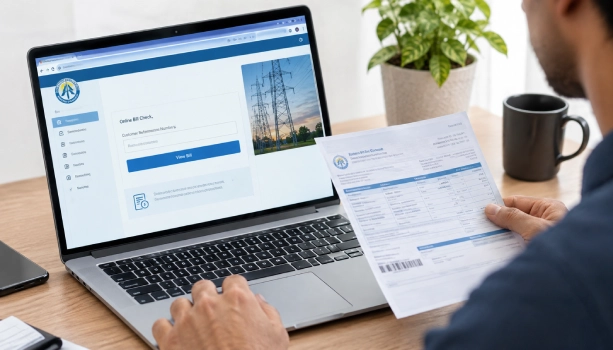
Need a printed copy of your FESCO bill for payment or your records? You don't need to visit an office. You can check your bill online and print it from your phone or computer in a few steps. Here's how it works.
What You Need First
To check and print your FESCO bill, you need one of these two:
- 14-digit Reference Number – printed on your old bill
- 10-digit Customer ID – also printed on your bill
You cannot check a FESCO bill using your CNIC or your name. A reference number or customer ID is required.
Where to Find Your Reference Number and Customer ID
If you have an old paper bill, look at the upper left corner. That's where the 14-digit reference number is printed. The 10-digit customer ID sits just above it, on the same section of the bill.
If you don't have an old bill, ask a neighbour with the same connection type for their bill layout, or contact FESCO support to confirm your numbers.
Steps to Check and Print Your FESCO Bill
- Open the FESCO bill checking page www.bill.pitc.com.pk/fescobill
- Type your 14-digit reference number or 10-digit customer ID in the box.
- Click the Check Bill button.
- Your bill will show on screen with the amount, due date, and meter reading.
- Click the Print button at the top of the bill.
- Pick your printer from the list and print the copy.
How to Save Your Bill as a PDF (No Printer Needed)
If you don't have a printer nearby, you can still get a copy:
- Click the Print button on your bill.
- In the print window, change the destination to Save as PDF.
- Click Save.
- Your bill saves to your device as a PDF file, ready to print later or send by email.
This works the same way on a phone or a computer. On mobile, the print menu usually appears after you tap the share or menu icon in your browser.
Common Printing Problems and Fixes
- "Bill Not Found" error – Recheck that you typed all 14 digits of the reference number, or all 10 digits of the customer ID, without spaces.
- Blank or faded print – Try the Save as PDF method instead, then print from another device or a print shop.
- Old bill misplaced – Use your customer ID instead of the reference number, since both work for checking the bill.
Why You Might Need a Printed Copy
A printed FESCO bill is used for Paying your bill at a bank branch or post office counter. Keeping a physical record for your home or business. Submitting as address proof, when needed



