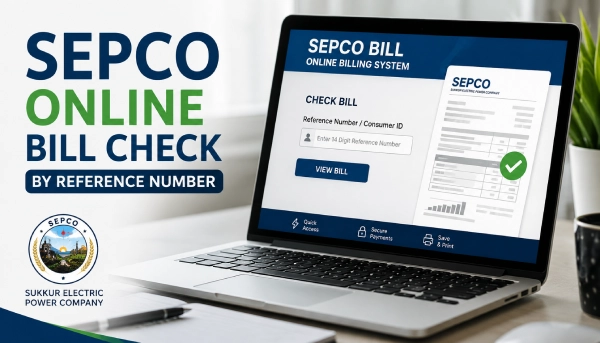
Waiting for the postman to drop off your electricity bill isn't necessary anymore. If Sukkur Electric Power Company supplies your area, you can pull up your SEPCO online bill in under a minute, as long as you have your reference number or consumer ID on hand. Below, you'll find the fast version first, then a fuller walkthrough, plus what to do if your bill won't load.
SEPCO Online Bill Checker 2026
Click the button below and enter your 14 digit reference number to check and download your SEPCO bill online in few seconds.
Quick Steps to Check SEPCO Bill Online
- Grab your 14-digit reference number (or 10-digit consumer ID) from your last bill.
- Use the above bill checker, or Head to the official SEPCO portal bill.pitc.com.pk/sepco.
- Enter your reference number or consumer ID.
- Click Search Bill button.
- Check the amount and due date, then save or print it.
If you want the detailed version, or you run into an error, keep reading.
What Is SEPCO?
SEPCO is short for Sukkur Electric Power Company. It's a public electricity distribution company, and it's been running since July 2010. Like every other DISCO in Pakistan, SEPCO answers to NEPRA, the National Electric Power Regulatory Authority, which sets the rules everyone in the electricity business has to follow.
If you live in Sukkur, this is your power company. The same goes for Larkana, Shikarpur, Jacobabad, Dadu, and Khairpur. So whether you're calling it a SEPCO Sukkur bill or just your regular electricity bill, the steps in this guide work the same way for your account.
What You'll Need First
Two things can get you into your bill, and you only need one of them:
- 14-digit reference number – printed on your last SEPCO bill.
- 10-digit consumer ID – also on your bill, and it works just as well if you can't find the reference number.
No account, no login, no charge. It's just a lookup.
Where's the Reference Number on Your Bill?
Check the left side of your last paper bill, near where your name and address are printed. That's usually where it sits. Can't find an old bill at all? Call the SEPCO helpline with your CNIC ready, and they can pull up your reference number for you.
SEPCO Online Bill Check 2026: Step-by-Step (Detailed)
Here's the detailed step by step process:
- Go to the portal. Open dbill.pitc.com.pk/sepco in your browser. This is the official billing site, run by PITC (Power Information Technology Company), the government body that handles online billing for SEPCO and the other DISCOs.
- Type in your details. Your 14-digit reference number works best. No reference number? Use your 10-digit consumer ID instead.
- Submit it. Tap "Check Bill" or "Submit," whichever button shows up.
- Read your bill. Your name, address, billing month, units used, amount due, and due date should all show up on screen.
- Keep a copy. Download it as a PDF, or print it straight from your browser.
Printing Your SEPCO Bill
Once the bill's on your screen, printing it is easy. On a computer, Ctrl+P usually does the job, or you can hit the download button on the portal first and print the PDF later. A printed copy from the official SEPCO online bill print system is treated the same as your original paper bill when you go to pay, whether that's at a bank or a shop.
Lost Your Reference Number? Here's What to Do
It happens. A few ways around it:
- Call the SEPCO helpline and give them your CNIC. They should be able to find your reference number for you.
- Visit your nearest SEPCO customer service center in person, with your CNIC and any old bill details you still have.
Why Your Bill Might Not Show Up
If the portal says it can't find your bill, don't panic. Try these first:
- Recount the digits. A single wrong number in your 14-digit reference number is enough to break the lookup.
- Watch for stray letters. Some old bills print a U or R next to the number. Leave those out when you type it in.
- Switch to consumer ID. If the reference number keeps failing, your 10-digit consumer ID might work instead.
- Give it time. If this month's bill hasn't been generated yet, the portal will just show your last available bill until it is.
How to Pay Once You've Checked It
Once your SEPCO bill is in front of you, you've got a few ways to pay:
- Mobile banking apps
- Internet banking through your bank's website
- JazzCash or Easypaisa
- Over-the-counter at a bank branch
SEPCO Helpline Number
Got a billing question, or need to file a complaint? Here's who to call:
- SEPCO Head Office: 071-9310795 / 071-5621633
- National electricity helpline (UAN): 118 — toll-free, works anywhere in Pakistan, and routes you to your nearest SEPCO control room
- SMS complaint: 8118
Is checking my SEPCO bill online free?
Yes. There’s no fee and no login needed on the official PITC portal.
Can I check my SEPCO Sukkur bill without my reference number?
Yes. Use your 10-digit consumer ID instead if the reference number isn’t handy.
Does a printed SEPCO online bill count as valid for payment?
Yes. Banks and other payment points accept a duplicate bill printed from the official portal, just like the original.
How often does SEPCO update bills online?
Your bill shows up on the portal once SEPCO generates it for that month. Until then, you’ll see your most recent available bill instead.



