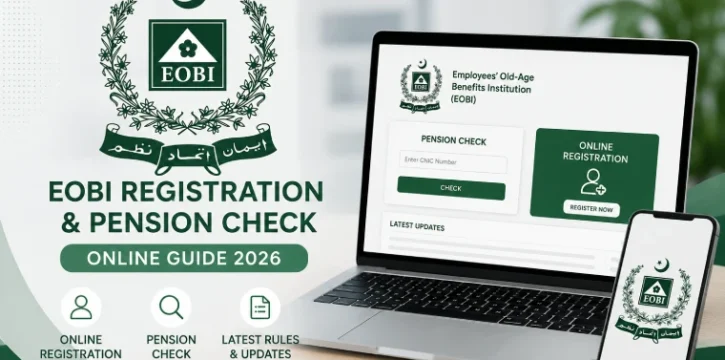
EOBI Registration Portal Guide Online – 2026
If you work in Pakistan’s private sector, EOBI is your safety net for old age, disability, or your family’s future. But most people never check their own EOBI record until something goes wrong. Here’s how to check it yourself in a few minutes, and what to do if your record isn’t right.
What Is EOBI, in Plain Words
EOBI stands for Employees’ Old-Age Benefits Institution. It’s a government pension scheme. Your employer pays into it every month on your behalf, and a small amount comes from your own salary too. Later, this record decides whether you get a pension when you retire, get hurt, or pass away and leave dependents behind.
Your EOBI record shows your name, your registration number, your employer’s name, and your monthly contribution history. If any of this is wrong, your pension can be delayed or reduced. That’s why checking it once in a while is worth the five minutes it takes.
How to Check Your EOBI Registration Online
- Go to the official EOBI website.
- Find the “Individual Information” section.
- Type in your CNIC number (no dashes needed, just the 13 digits).
- Click submit or view.
- Your record will show up on the screen.
That’s it. No login, no paperwork, no visit to an office.
What Your EOBI Record Tells You
Once your details appear, you’ll see:
- Personal details – your name, your father’s name, CNIC, and EOBI registration number
- Employer details – company name and the dates you worked there
- Contribution history – whether your employer actually deposited your monthly contributions
- Pension eligibility – whether you’ve built up enough contributions to qualify for benefits
The contribution history is the part to watch closely. This is the number that decides your pension amount, so it’s worth checking every few months, not just once.
If Your EOBI Record Is Missing or Wrong
This happens more often than people think, sometimes an employer forgets to register a worker, or types the CNIC wrong. Here’s how to fix it:
- Ask your HR or accounts department to confirm you were registered correctly.
- If the online record still shows nothing, visit your nearest EOBI regional office.
- Take your CNIC and any proof of employment (offer letter, salary slip) with you.
- The staff there can correct your record on the spot.
One Thing Most Guides Leave Out: The EOBI Helpline
Before making a trip to a regional office, try calling the free EOBI helpline first: 0800-36241. It’s open Monday to Friday, 8 AM to 4 PM. You can ask about your registration status, missing contributions, or get guidance on which documents to bring. This one call can save you a wasted visit if the issue turns out to be something small, like a typo in your CNIC.
Also worth knowing: under the law, any company with five or more employees must register its workers with EOBI. If your employer has never registered you despite deducting EOBI money from your salary, that’s a legal violation, and you have the right to file a complaint.
Why This Matters
Nobody thinks about their pension at 25. But EOBI contributions build up over years, and a single wrong CNIC digit or missed registration can mean a delayed or reduced pension decades from now. Checking your record today costs nothing and takes less time than making tea. Do it once now, and set a reminder to check again every six months.



