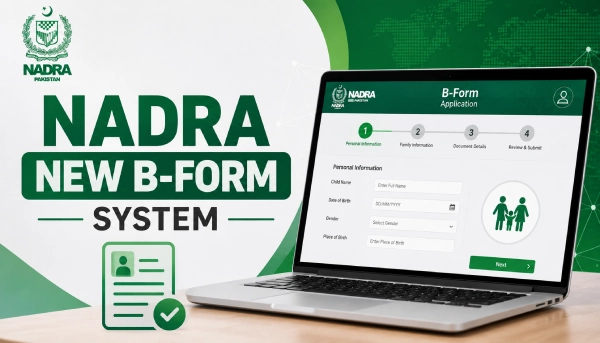
NADRA has changed how it issues the B-Form. Instead of one form that lasts until your child turns 18, your child will now get three different B-Forms as they grow up, one at birth, one at age 3, and one at age 10. Each form expires when the next stage begins, so you’ll need to renew it a few times before your child becomes an adult. Below is what changed, what it costs, and how to apply.
What Changed in the B-Form System
The B-Form, officially known as the Child Registration Certificate (CRC), is how NADRA registers every Pakistani child under 18. Under the new system, reported in April 2026, NADRA adds a photo and biometric details step by step as the child grows, instead of collecting everything at once. The idea is to keep records accurate and cut down on wrong or fake entries, since a newborn’s photo obviously won’t match a ten-year-old’s face.
Stage 1: Birth to Age 3
The first B-Form is issued right after birth, based on the child’s birth certificate from the Union Council. It doesn’t need a photo. This form stays valid until the child turns 3.
Stage 2: Age 3 to Age 10
When the child turns 3, parents should get a new B-Form because the old one becomes unvalid. This one includes a photo and an iris scan. It’s valid until the child turns 10 years old.
Stage 3: Age 10 to Age 18
After age 10, a third B-Form is issued. This time NADRA takes a photo, fingerprints, and an iris scan, and the child has to be present in person. This form stays valid until age 18, at which point the same record becomes the basis for the child’s CNIC.
B-Form Fee 2026
The fee depends on how fast you want the form.
| Package | Fee | Processing Time |
|---|---|---|
| Normal | Rs. 50 | 7 Working Days |
| Executive | Rs. 500 | 1 Working Day |
There’s no “Urgent” option for the B-Form, unlike the CNIC. If you’re not in a rush, Normal is the cheaper choice. If you need the form quickly, for a passport or a school deadline, go with Executive. One thing to keep in mind: you can’t switch packages once you’ve submitted the application, so choose carefully at the start.
Documents You’ll Need
You’ll need the child’s Computerized Birth Registration Certificate, issued by the Union Council, Municipal Committee, or Cantonment Board. If the child was born outside Pakistan, a detailed foreign birth certificate or an S-1 form works instead. You’ll also need the original CNIC or NICOP of at least one parent. Some centers may also ask for the parents’ marriage certificate, so it’s worth carrying a copy.
Who Can Apply
Any Pakistani child under 18 is eligible, as long as at least one parent holds a valid CNIC or NICOP and the child’s birth is already registered with the Union Council. A parent or legal guardian applies on the child’s behalf. If both parents have passed away, a court-appointed guardian can apply, but they’ll need a guardianship certificate to do so.
How to Apply Online Through Pak-ID
- Download the Pak-ID app and log in, or create an account if you’re new.
- Go to Family, then tap CRC / B-Form.
- Choose whether you’re applying for your own child or a blood relative’s child.
- Select Normal or Executive processing.
- Check the child’s details that appear on screen and fix anything missing.
- Confirm the parent’s information.
- Upload the child’s photo, and fingerprints too if the child is 10 or older.
- Verify one parent’s fingerprint through the app.
- Upload the birth certificate and any other documents asked for.
- Review everything, submit, and pay the fee.
Once processing is done, the B-Form arrives as a PDF in the ID Vault section of your Pak-ID app.
How to Apply at a NADRA Center
If you’d rather apply in person, visit your nearest NADRA Registration Center and take a token at the reception. A staff member will verify your biometrics as the parent, then take the child’s photo (and fingerprints, if the child is 10 or older). Your data gets entered and checked on the spot. If you don’t have a blood relative with you, the form will need to be attested by a gazetted officer before it’s accepted. Once you pay the fee, your B-Form is printed and ready for collection after the processing period.
Tracking Your Application
You can check your application status through the Pak-ID app under Family → CRC/B-Form, by sending your tracking ID as an SMS to 8400, or by calling the NADRA helpline at 1777 or +92 51 111 786 100.
FAQs
Do I need to replace my child’s old B-Form right away?
No. A B-Form stays valid until the child reaches the next age mark, 3, 10, or 18. You only need to renew it once that stage passes.
Can I finish the whole process from home?
You can start the application on the Pak-ID app, but if your child is 3 or older, you’ll still need to visit a NADRA center in person for the photo and biometrics.
What happens if I renew late?
There’s no late fee, but an expired B-Form can cause trouble with school admissions, travel, or passport applications. It’s best to renew soon after your child crosses each age mark.
Can parents living abroad apply?
Yes. You can apply through a NADRA center abroad, a Pakistani embassy or mission, or the Pak-ID app, following the same rules as applicants inside Pakistan.
Who do I contact if something goes wrong?
Call NADRA’s helpline at 1777, available 24/7, or +92 51 111 786 100.



