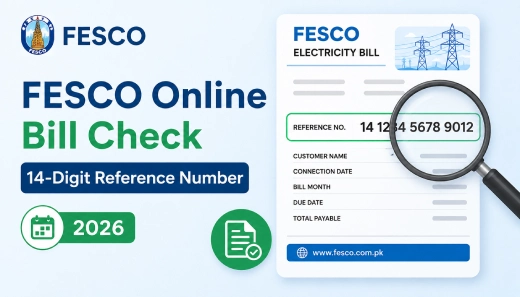
Lost your paper bill and need to check your FESCO bill fast? FESCO online bill check 14-digit reference number is the quickest way to do it. Grab your last bill, find that 14-digit number printed on it, and type it into the bill checker on this page. Your bill amount, due date, and full details show up within seconds. No office visit, no waiting for a courier.
FESCO Online Bill Checker
What Is the 14-Digit Reference Number?
Every FESCO connection gets its own reference number. It’s 14 digits long, and you’ll find it printed on your last paper bill, usually on the left side near the top. This number is what unlocks your bill online. FESCO won’t let you check a bill with your CNIC, your name, your address, or your meter number, so hang on to that number.
Can’t find it? Look for your 10-digit Customer ID instead. It sits close to the reference number on the same bill and works just as well.
How to Check Your FESCO Bill Online
Here’s the process, step by step:
- Open the bill checker on this page.
- Type in your 14-digit reference number. Skip the spaces and dashes.
- Click “Check Bill.”
- Your bill amount, due date, and billing month appear on screen.
- Want the full picture? Open the full bill view, then print it or save it as a PDF from there.
No reference number handy? Punch in your 10-digit Customer ID instead. You’ll get the same bill either way.
Check Your FESCO Bill Without Internet
Stuck without internet? FESCO still has you covered through SMS.
Type pitc, add a space, then your 14-digit reference number, and send it to 8334. Your bill details land back in a text message within a few minutes.
What Shows Up on Your FESCO Bill
Once the bill loads, you can see:
- The bill amount and due date
- Billing month and meter reading date
- Units consumed
- Whether last month’s bill was paid
- Your billing history for the past 12 months, printed right on the current bill
Why Your Bill Costs What It Costs
A FESCO bill isn’t just the price of the units you used. A few other charges get added on top, and they’re worth knowing about:
- FPA (Fuel Price Adjustment): this moves up or down depending on how much fuel costs to generate electricity that month.
- GST: the standard sales tax, added because the law requires it.
- Surcharges: fixed and variable charges set by FESCO and NEPRA, the body that regulates electricity pricing in Pakistan.
So if your bill jumps one month and you haven’t used more electricity, one of these charges is probably why.
Where FESCO Supplies Electricity
FESCO covers eight districts across Punjab:
- Faisalabad
- Sargodha
- Jhang
- Chiniot
- Toba Tek Singh
- Khushab
- Mianwali
- Bhakkar
Live in any of these? FESCO is your electricity company, and this bill check method works for you.
How to Pay Your FESCO Bill
You’ve got a few ways to pay, both online and off.
Online, you can use JazzCash, Easypaisa, or your bank’s mobile or internet banking app. If you’d rather pay in person, head to a bank branch, a post office, or an authorized retail shop. Just keep your bill copy or reference number on you when you go.
FESCO Helpline and Contact Details
Something wrong with your bill? Here’s how to reach FESCO directly:
- Helpline: 118
- UAN: 0800-66554
- Phone: +92-41-9220184, +92-41-9220229
- Email: [email protected]
- Head Office: West Canal Road, Abdullah Pur, Faisalabad, Pakistan
- Official website: fesco.com.pk
Frequently Asked Questions
Can I check my FESCO bill without a reference number?
No. You’ll need either the 14-digit reference number or the 10-digit Customer ID. FESCO doesn’t allow bill checks by CNIC, name, or address.
How do I get a duplicate FESCO bill?
Type your 14-digit reference number into the bill checker. Once the bill loads, open the full bill view and download or print it from there.
What is FPA in a FESCO bill?
FPA stands for Fuel Price Adjustment. It’s a charge that rises or falls based on how much fuel costs to produce electricity.
Can I see my old FESCO bill history online?
Your last 12 months of billing history show up on your current bill. A full online archive beyond that isn’t open to the public right now.
Where do I find my 14-digit reference number?
Check your last paper FESCO bill. It’s usually printed on the left side near the top, right next to your Customer ID.



