Quick facts
| Information | Details |
|---|---|
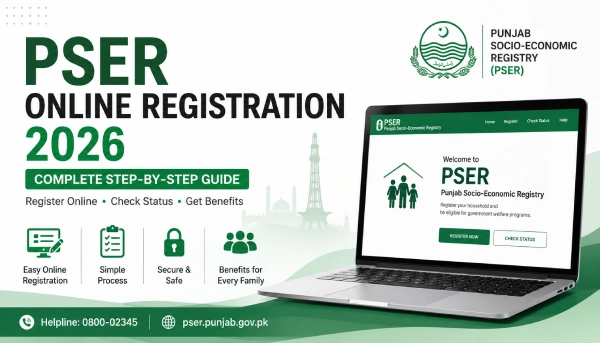
| Full Name | Punjab Socio-Economic Registry (PSER) |
| Run By | Government of Punjab |
| Official Registration Site | pser.punjab.gov.pk |
| Official Login Site | portal-pser.punjab.gov.pk |
| Cost to Register | Free |
| Helpline | 0800-02345 |
| Registration Centers | 5,000+ across Punjab, including E-Khidmat Markaz |
What is PSER?
PSER stands for Punjab Socio-Economic Registry. It is a survey run by the Government of Punjab to collect basic information about families living in the province — things like income, family members, health, and housing.
Registering does not put money in your account. It puts your household on record. The government later uses that record to check which families qualify for different welfare programs.
Who Can Register?
Any family living in Punjab can register. You do not need to already be poor or already know you qualify for something. The registration itself is open to everyone. What happens after — whether you get picked for a program — depends on your household details and a scoring method the government uses internally, sometimes called a PMT or poverty score. That score is not shown to the public.
Why You Should Register
Instead of applying to each welfare scheme one by one, your PSER record is checked against many programs at once. Programs that use PSER data include:
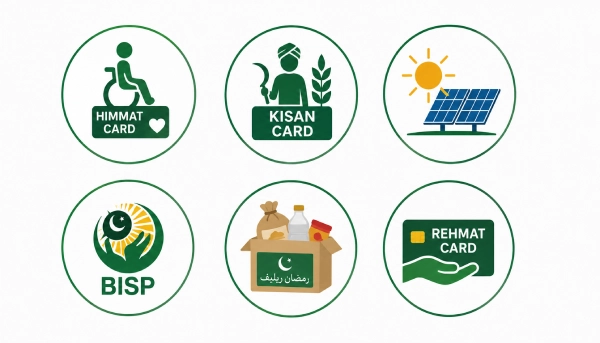
- The Himmat Card, for persons with disabilities
- The Kisan Card, for farmers
- Solar panel schemes
- Programs linked to BISP
- Ramzan and Nigehban relief packages
- The Rehmat Card
Usually, only one person per household applies for a given program. So one correct, complete PSER registration for your family is the first step for all of these, not a separate form for each one.
Documents You Need Before You Start
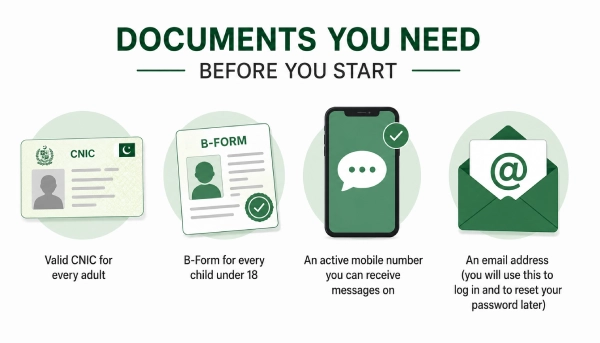
Keep these ready so you do not lose your progress halfway:
- Valid CNIC for every adult in the family
- B-Form for every child under 18
- An active mobile number you can receive messages on
- An email address (you will use this to log in and to reset your password later)

3 Ways to Register
| Method | Best For | What You Need |
|---|---|---|
| Online Portal | Anyone with a phone or computer and internet | CNIC, mobile number, email |
| Registration Center | People who find online forms hard, or have no internet | Same documents, plus your physical CNIC card |
| Door-to-Door Survey | Families a government survey team visits at home | CNIC and B-Forms kept ready at home |
All three ways are free. If you can use a phone comfortably, the online portal is usually the fastest, so this guide focuses on that.
How to Register Online, Step by Step
Follow these steps in order. Do not skip any.
Step 1: Open the real website
Type pser.punjab.gov.pk into your browser, phone or computer, doesn’t matter which. Take a second to look at the address before you go any further. A few copycat sites use names that look almost the same, so this is the one to trust, and only this one.
Step 2: Find the registration option
Once the page loads, look for a Register or Apply button. It’s usually right there on the homepage. Tap it and you’re in.
Step 3: Fill in your basic details
Next comes your name, CNIC, mobile network, mobile number, and email. Go slow through this part. One wrong digit in your CNIC and your record can end up tied to someone else’s, which is a real hassle to sort out later.
Step 4: Create a password
The form will ask you to set a password, then type it again to confirm it. Pick one you’ll actually remember, or write it down somewhere safe, because you’ll need it every time you log back in.
Step 5: Log in and start a new application
With your account made, log in using your CNIC and the password you just set. Find the button that says New Application. Before it lets you go further, you’ll see a short notice asking you to confirm that what you’re about to enter is true. Read it, then continue.
Step 6: Enter the head of family details
This is usually a parent or guardian, whoever the household is registered under. Enter their name, CNIC, gender, and date of birth.
Step 7: Add every family member
Here’s the part most people slow down on, and that’s fine, take your time. Go through the household section and add each person in your home, one at a time. For each one, you’ll need:
- Full name
- Gender and age or date of birth
- CNIC (for adults) or B-Form number (for children)
- Whether they go to school, and their education level
- Their work or income source, if any
- Any disability or long-term illness, if it applies
Don’t leave anyone out. Getting the full family list right matters more than almost anything else on this form.
Step 8: Add your address
Fill in where you live now, and your permanent address too if it’s different. If the form asks rural or urban, pick whichever one actually fits your home.
Step 9: Add housing and asset details
This part is really just about your day-to-day living situation: do you own or rent, do you have water and electricity, do you own any land or a vehicle. Answer it as it actually is.
Step 10: Add farming details, if it applies
Own or farm any land? This part asks how much and what kind. If farming has nothing to do with your household, skip straight past it.
Step 11: A few last questions
You might see one or two more, like whether your family already gets help from another government program. Answer honestly and move on.
Step 12: Check everything before you submit
Go back through what you’ve entered. Look closely at your CNIC and B-Form numbers, make sure no one in the family is missing, and check your address is right.
Step 13: Submit
Once you’re sure it’s all correct, hit Submit. That’s it, your household is now on record. You can log back in any time after this to check where things stand.
Common Mistakes to Avoid
- Using a fake website. Only pser.punjab.gov.pk is official. Always check the web address before you type anything.
- Typing your CNIC wrong. Enter all 13 digits exactly as printed on the card, with no spaces.
- Using a mobile number that is off, lost, or not yours. The portal may need to reach you on this number.
- Paying anyone to register you. Registration is always free. Anyone asking for money is not official.
- Registering the same household more than once. One family should have one application, under one head of family.
- Leaving health or disability details blank. These answers affect eligibility for programs like the Himmat Card, so fill them in honestly.
- Stopping halfway and coming back later. Keep all your documents ready first, then try to finish in one sitting.
What Happens After You Submit
Your information is saved in the registry. The Punjab government has worked with NADRA to check and update PSER data and to manage it with privacy protections.
Submitting your form does not mean you are approved for a payment. It means your household is now on file. A specific program later decides, using its own eligibility rules and your household’s score, whether your family qualifies.
How to Check Your Status
You do not register again to check your status.
- Go to the PSER login portal
- Log in using your CNIC and password.
- Open your application or dashboard section.
- Your current status will be shown there.
If you cannot log in, use the Forgot Password option on the login page. It sends a reset link to the email you registered with.
Is There a Last Date?
PSER is an ongoing registry, not a one-time form with a single fixed deadline. Registration and updates happen in phases, and dates can change based on government decisions. Because of this, do not rely on a date you read on any one website, including this one. Check the official portal directly, or call the helpline below, to confirm the current status before you register.
Need Help?
If you get stuck at any step, call the Punjab government helpline at 0800-02345, or visit your nearest registration center with your CNIC. Staff there can help you register in person, free of charge.



