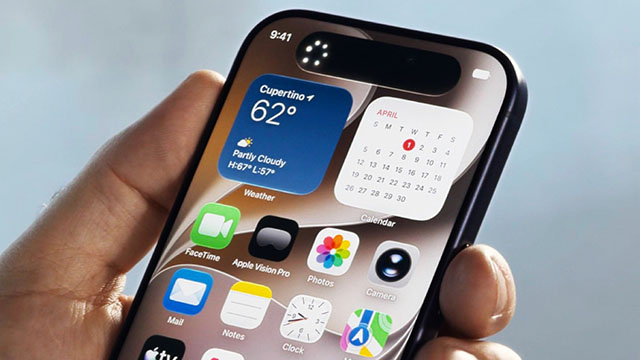
Apple has officially announced iOS 27 at its WWDC 2026 event. The beta.apple.com iOS 27 update focuses heavily on massive performance improvements, a design cleanup, and a complete rebuild of Siri using Google’s Gemini technology.
Apple has launched the developer beta for iOS 27 on beta.apple.com. The public beta will arrive next month, followed by a final release in the fall.
In a surprising move, Apple is not leaving older phones behind. iOS 27 runs on every device that supported iOS 26, meaning anyone with an iPhone 11 or newer will get the update. However, the advanced Apple Intelligence features will still require an iPhone 15 Pro, 15 Pro Max, or iPhone 16 model or later.
Massive System Speed Boosts
Apple has rewritten the internal system to make the entire iPhone experience much faster. This change applies even to older models like the iPhone 11.
- Apps now launch up to 30% faster.
- New photos appear in your library up to 70% quicker.
- AirDrop file transfers are now up to 80% faster.
- Apple completely revised the search engine powering Spotlight, Photos, and Mail. It indexes your data almost instantly, making it much easier to find specific files.
The Siri Changes Powered by Google Gemini
Siri has received its biggest upgrade since 2011. Apple rebuilt the assistant from scratch by combining its own Apple Intelligence with Google’s Gemini models.
- Siri can now follow a natural back-and-forth conversation. It remembers what you said previously and understands your personal context.
- Siri can see what is happening on your screen. You can ask questions about an image or text you are currently looking at.
- A new "Write with Siri" tool helps you draft emails or texts virtually anywhere you type. It can even mimic your personal writing style.
Adjustable Interface
Apple listened to heavy user feedback regarding the "Liquid Glass" translucent design it introduced last year. iOS 27 now includes a system-wide slider. This lets users manually adjust the interface from completely blurry to fully clear. App icons also get extra layers of depth to look sharper.
New Parental Controls
The update also heavily emphasizes child safety. Parents can now use a feature called "Ask to Browse." This forces children to request permission before opening any new website in Safari.
Parental controls also feature category-based time limits for apps. Additionally, the built-in communication safety filters will now automatically block and blur graphic violence and gore, moving beyond just filtering nudity.