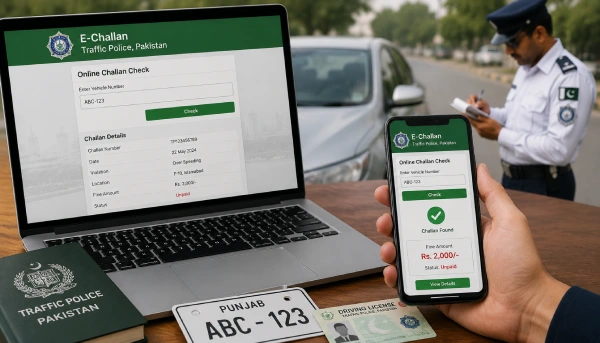
Getting a traffic camera to catch your number plate doesn’t mean a warden has to stop you on the road anymore. An online challan check lets you see if you owe a fine, how much it is, and where it happened, all from your phone. The steps are slightly different depending on where you drive, so this guide covers Punjab, Sindh, and Islamabad, one at a time.
Quick Steps
- Find out which portal covers your city (see below).
- Open that portal on your phone or computer.
- Enter your vehicle registration number, and your CNIC if the portal asks for it.
- Complete the captcha if there is one.
- Search, and your challan details will show up on screen.
Which Portal Covers Your City?
- Punjab (Lahore, Rawalpindi, Faisalabad, Multan, and other Punjab cities): echallan.psca.gop.pk, run by the Punjab Safe Cities Authority (PSCA)
- Sindh (Karachi and other Sindh cities): tracs.sindhpolice.gov.pk, run by Sindh Police
- Islamabad (and Rawalpindi, since the two share one system): traffic.islamabadpolice.gov.pk/Echallan, run by Islamabad Traffic Police (ITP)
If you’re not sure where your challan was issued, a Punjab-registered vehicle can still get a challan in Islamabad, so it might show up on a different portal than the one for your home city.
Checking Your Challan in Punjab (PSCA)
Follow these simple steps to check you E-Challan Punjab in minutes:
- Go to echallan.psca.gop.pk.
- Enter your vehicle registration number.
- Enter your CNIC number, without dashes.
- Click search to see your challan details, including the date, location, violation type, and fine amount.
Checking Your Challan in Sindh (TRACS)
- Go to tracs.sindhpolice.gov.pk.
- Enter your vehicle registration number.
- Search, and any pending or paid challans linked to your vehicle will show up.
Sindh Police also has a TRACS Citizen mobile app, which lets you check and manage challans linked to your own CNIC from your phone. Now checking your E-Challan in Karachi become very easy.
Checking Your Challan in Islamabad (ITP)
- Go to traffic.islamabadpolice.gov.pk/Echallan.
- Enter your vehicle number and CNIC, both without dashes.
- Complete the captcha.
- Click “Verify Challan” to see your result.
What You’ll Need Before You Start
- Your vehicle registration number, exactly as it appears on your registration book
- Your CNIC number
- A working internet connection
Keep both details handy before you open any portal. Most of these checks fail simply because a digit was mistyped.
Paying Your Challan Online
Once your challan shows up, you can usually pay it through:
- JazzCash or Easypaisa
- Your bank’s mobile app or internet banking
- Over the counter at a bank branch, using your PSID (Payment Slip ID) if the portal gives you one
Keep a screenshot or download the receipt after paying, in case you need to show proof later.
If Your Challan Doesn’t Show Up
- Double-check that you typed your vehicle number and CNIC correctly.
- Wait a day or two. A violation caught by camera doesn’t always appear on the portal right away.
- Try the correct portal for the city where the violation happened, not just your home city.
If You Think a Challan Was Issued by Mistake
If you believe a challan doesn’t belong to your vehicle, or the details look wrong, visit your nearest traffic police office with your CNIC, vehicle documents, and a screenshot of the challan. Officers can review the camera evidence and correct or cancel it if the mistake is confirmed.



