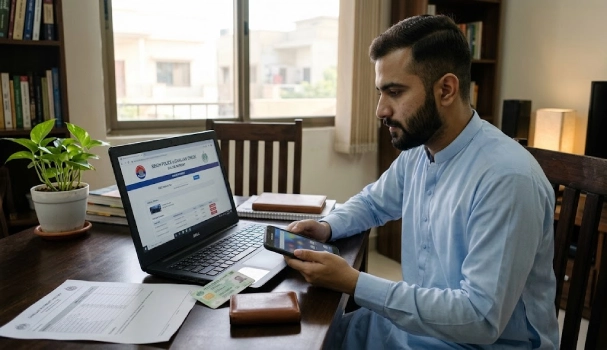
Got a text about a traffic fine in Karachi? An e challan Sindh online check takes less than a minute. Sindh Police runs this system under TRACS. The Traffic Regulation and Citation System launched in October 2025. AI cameras record violations, then the system matches them to your vehicle and CNIC. You can check your challan status yourself, without visiting a traffic office.
What Is TRACS?
TRACS stands for Traffic Regulation and Citation System. Sindh Chief Minister Murad Ali Shah launched it at the City Police Office, Karachi, in October 2025. The system uses AI-linked CCTV cameras to catch violations. This includes speeding, running red lights, riding without a helmet, and skipping seatbelts. TRACS removes the need for an officer to stop you on the road. It connects to Excise and Taxation records, the driving licence system, and NADRA data. This link is what lets you look up your own fine online, using just your CNIC or vehicle number.
What You Need Before You Check
Keep these details ready before you start:
- Your vehicle registration number, written exactly as it appears on your registration book
- Your 13-digit CNIC number
- A phone or computer with internet access
Sindh Police matches these details to confirm ownership. This step also stops strangers from viewing your fine history.
E Challan Sindh Online Check by CNIC – Step by Step 2026
- Open the Sindh Police website and find the TRACS or Trax4Citizens link on the page.
- Enter your CNIC number without dashes, then tap search.
- The result shows every challan linked to your CNIC, even ones from a vehicle you no longer own.
This method is useful if you own more than one vehicle, or if you can’t remember your registration number.
E Challan Sindh Online Check by Vehicle Number
If you want to check just one vehicle, use its number plate instead. Go to the same TRACS check page. Type your registration number exactly as printed on your book, dash included. Press search. You’ll see the challan number, the violation type, the date, the location, and the fine amount. Enter the number carefully. A single wrong digit can return no result, or pull up someone else’s record by mistake.
Sindh Police E Challan Check Through the Trax4Citizens App
Sindh Police built a mobile app called Trax4Citizens for this system. You can find the download link on the Sindh Police website. Sign up using your CNIC, phone number, and email address. Once you’re signed in, open the challan section to view your fines. The app lets you do a sindh police e challan check from your phone, wherever you are, without opening a browser.
What Happens If You Don’t Pay
Unpaid challans get sent to your registered home address by post. TRACS is also linked to vehicle registration records at the Excise and Taxation Department. If your fine stays unpaid, your car’s ownership transfer can get blocked. In June 2026, Sindh Police stopped resale on more than 40,000 vehicles over pending challans. Clearing your fine on time keeps your vehicle papers free of any hold.
FAQs
How do I do an e challan Sindh online check by CNIC?
Visit the TRACS or Trax4Citizens page on the Sindh Police website. Enter your CNIC without dashes and search.
Can I do an e challan Sindh online check by vehicle number instead?
Yes. Enter your full registration number, with the dash, on the same page.
What is TRACS?
TRACS is the Traffic Regulation and Citation System. Sindh Police launched it in October 2025 to issue and track e-challans through AI cameras.
What happens if I ignore my e-challan?
Your challan stays on record and gets mailed to your home address. Unpaid fines can also block your vehicle’s resale or transfer.



